Walk into any school athletics club on a Tuesday evening and you will see the same thing at the edge of the track. A coach holds a phone, a few teenagers crowd around it, and someone says, "Watch his arm drive on this one." The clip might be a sprint start, a hurdle trail leg, or a warm-up routine that a stranger posted from a training camp on the other side of the world.
That small habit is the heart of a bigger shift in sport. Coaching knowledge used to travel through clinics, books and the odd VHS tape. Today it travels in short visual posts, and a lot of those posts live on Pinterest boards, where coaches and athletes pin drills the way they once clipped magazine pages. This article looks at that trend in athletics and track and field, and at one practical problem it creates: what do you do when the training ground has no signal?
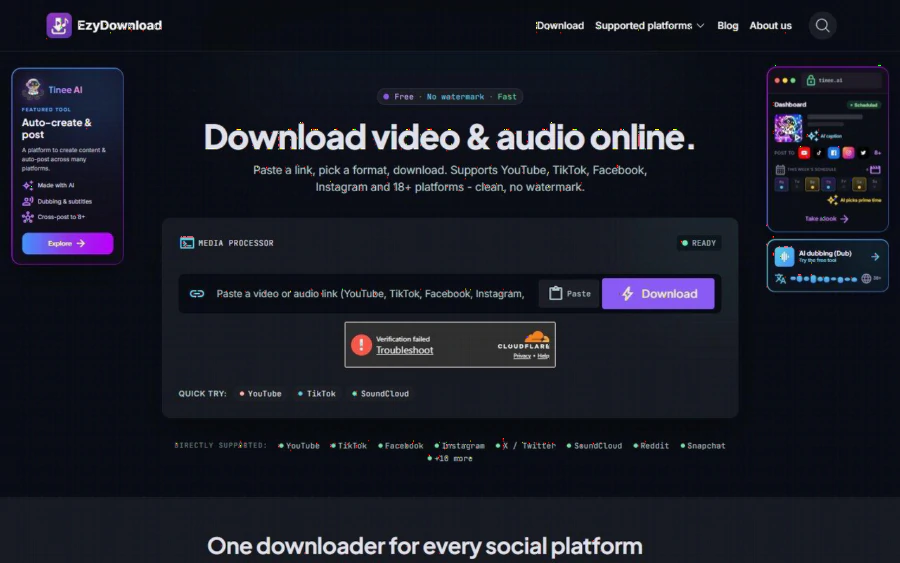
EzyDownload homepage with a link box, a download button and a list of directly supported platforms
The trend: sport learning has become visual and bite sized
Think about how a volunteer coach at a regional club prepares a session. Ten years ago the plan lived on a laminated sheet. Now it often starts with a search for "A-skip drill" or "medicine ball throw progression" and ends with a saved board of images and short videos.
Three things make this style of learning stick. A clip shows timing that a paragraph cannot. A pin is easy to save and sort into themed boards, for example "acceleration", "jump takeoff" or "recovery mobility". And the format suits busy people, because a thirty second clip fits between a school pickup and a team meeting.
The weakness is access. Pinterest is built for browsing online. Athletics, on the other hand, happens on grass verges, in cold infields and at country tracks where the mobile signal drops to nothing. A board that loads beautifully at home turns into a grey grid of placeholders at the field.
The situation: a club coach with a signal problem
Picture a coach we will call Mai, who runs the under 16 group at a small athletics club. Her Thursday session is about hurdle rhythm. She has a board with a dozen pins: two video drills for the lead leg, one for the trail leg, and several still images that show the ideal body angle over the barrier.
At the track she wants to do three things. Show the group one clip on a tablet, pause on an image so a nervous first timer can see what "tall posture" means, and send the same material to parents afterwards. None of that works reliably if each tap depends on a weak connection.
Her solution is simple, and it is the kind of job a lightweight browser tool can handle. She saves what she has the right to use ahead of time, then plays it offline.
Where a browser tool fits: EzyDownload and its Pinterest page
For this job Mai uses a free Pinterest video and image downloader from EzyDownload, a browser-based tool. Here is what the Pinterest page says about itself, quoted as the vendor's description rather than something we tested at scale.
You paste a Pin link, choose a format and download. The page says both image Pins and video Pins are supported, with Idea Pin videos in original quality and images saved at the largest available size. For video, it lists MP4 with quality tiers from 360p up to 4K, and it says frame rate is kept up to 60 fps. Audio can be saved as MP3 or M4A, at 128, 192 or 320 kbps. The page also says there is no sign-up and no cap on basic downloads, and that media is streamed rather than stored on its servers.
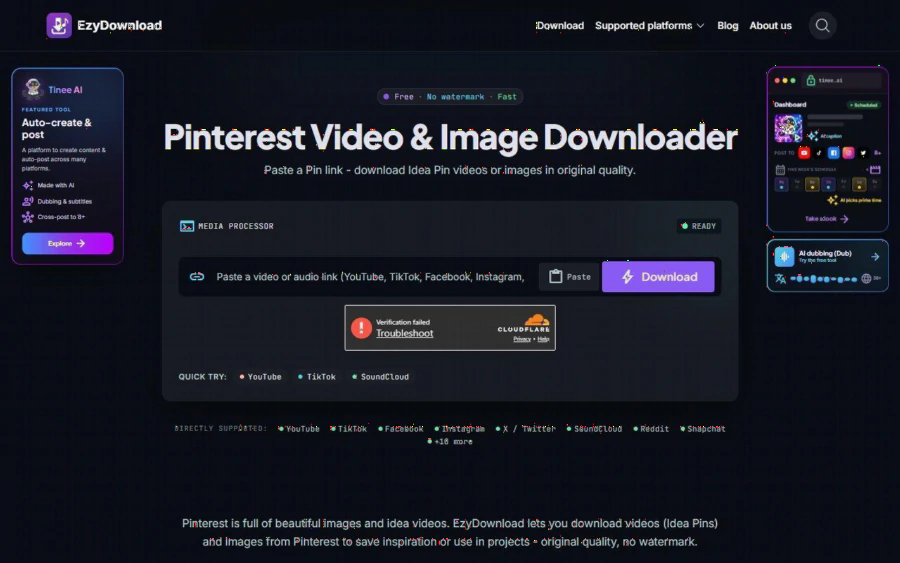
EzyDownload Pinterest page with the title Pinterest Video and Image Downloader and a box for pasting a Pin link
The workflow for Mai is short. She opens a pin, uses the share button to copy the link, pastes it into the box, picks MP4 at 720p because the tablet screen is small, and saves the file. The same steps work for a still image. Nothing to install, nothing to register.
Why this suits a sports setting
A few details make this kind of tool a natural fit for athletics and similar sports.
Small files, quick use. A 720p clip of a drill is modest in size, so a coach can load a dozen on a tablet without worrying about storage. Higher tiers exist for slow motion work, where frame rate matters.
No account needed. Many clubs run on volunteers who share devices. Not having to log in anywhere makes the process easier to hand over to an assistant coach.
Audio is optional. For warm-up playlists or a cadence cue, the same tool can save audio. A steady beat on a speaker is a surprisingly effective hurdle rhythm aid.
Works for images too. Posture charts and stretching diagrams are often more useful than video, since they can be held on screen as long as needed.
The limits, stated plainly
A fair look at any tool includes what it does not do, and with downloaders the limits are important.
First, rights. Saving a clip for your own private study is one thing, and republishing it is another. The EzyDownload Pinterest page itself says to respect the creator's copyright when reusing, and its footer asks users to respect the copyright of the source platform. If Mai wants to put a coach's drill video on the club website, she should ask the creator. If she only wants to watch it on the infield, she is still responsible for making sure the use is acceptable. The tool does not make that decision for you, and we do not encourage saving content you have no right to keep.
Second, access. The site works with public links only. Private content, material behind a paywall and anything with DRM is not supported, so a members only coaching course will not be downloadable, and that is as it should be.
Third, the site is ad supported in a way you will notice. It promotes a content platform called Tinee AI in side panels and pop-ups. These are not part of the downloader, but a first time visitor should expect them. The site also lists Pinterest under compatible platforms rather than among its headline ones, so if a particular pin fails to load, trying another link or format is a reasonable next step.
Fourth, the page gives no maximum file size and does not mention GIF support, so do not assume either.
A simple routine for clubs
For coaches who want to try this without turning it into a project, a light routine works well.
1. On Sunday evening, build the board for the week and keep it to ten pins at most.
2. Check each one: is it a public pin, and is your use private and for teaching?
3. Save the clips you need at 720p, and any posture images at full size.
4. Name the files by drill, for example "hurdle-trail-leg", and put them in one folder on the tablet.
5. After the season, delete what you no longer need.
This takes about fifteen minutes and replaces the ritual of standing in a car park holding a phone above your head to find one bar of signal.
What to watch next in the trend
Expect more coaches and athletes to treat boards like playbooks. Clubs will likely keep sharing short visual material with parents, and the tools that make offline use easy will keep finding a place in that routine. The deeper trend is not the download button. It is that sport education is becoming something you curate, sort and revisit, instead of something you attend once.
For anyone in that position, the practical advice is modest. Start with your own material and clearly licensed clips, keep the folder tidy, and treat other people's work with the respect you would want for your own. If you want to try the workflow, the full list of supported sites shows what else it handles, and the Pinterest page above covers the format and quality options in detail.